


At first glance, most monitoring tools look convincing, but a proper mSpy review only becomes meaningful after daily use reveals patterns that are not obvious on day one. During the first login, the dashboard feels structured and responsive, and activity logs begin to populate quickly. That early clarity builds confidence.
However, as usage continues, small irregularities begin to surface. GPS updates may arrive later than expected, message timestamps occasionally show gaps, and social app data depth varies depending on the device.
These details do not appear dramatic in isolation, yet over time they shape the overall experience. Public feedback reflects this shift, since a large share of negative reviews highlight stability concerns rather than missing features. mSpy offers wide monitoring coverage, but long-term consistency ultimately defines whether it meets expectations.
First Impressions After Login – What Feels Impressive And What Feels Off
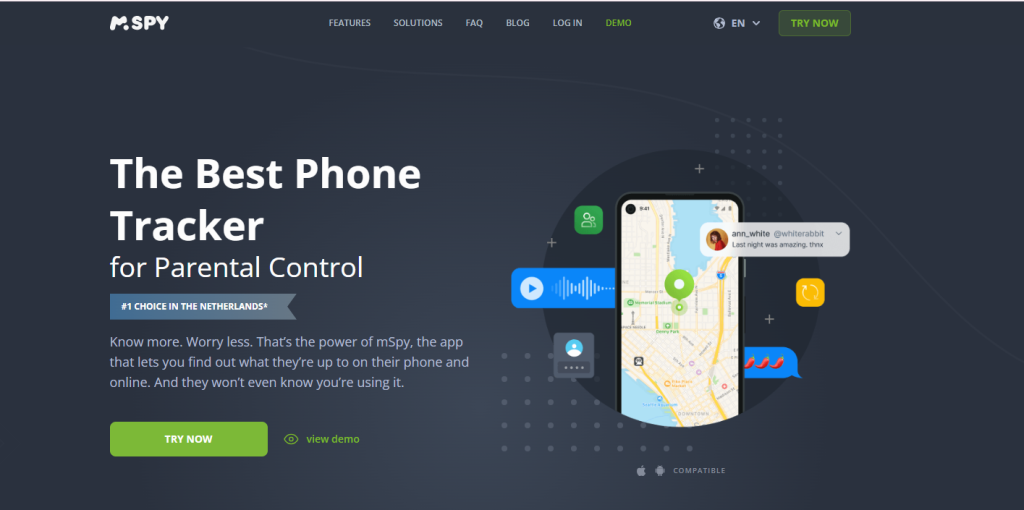
After completing setup, access to the mSpy dashboard feels immediate and structured, which builds early confidence. Login takes seconds, and the main control panel loads without noticeable lag.
Core sections such as Calls, Messages, GPS Location, and Social Apps appear clearly organized, and that clarity creates trust at first glance. However, once real device data begins to populate, subtle differences emerge. On Android devices, logs refresh faster and display more detailed entries.
On iPhone setups, update timing often depends on backup cycles, which introduces visible delay. That contrast shifts the experience. Confidence grows during the first navigation pass because layout and speed feel solid.
Hesitation begins when refresh intervals vary and data depth changes based on operating system limits. The structure looks stable, yet platform dependency quickly becomes noticeable.
mSpy Review Of Tracking Depth – How Much Control Do You Actually Get?
Tracking depth defines whether control feels real or superficial. A tool that claims full oversight must deliver accurate logs, precise timestamps, and consistent refresh cycles. In this mSpy review, we focus on how much usable control the dashboard actually provides once real activity builds over time.
GPS And Movement History
Location tracking works differently depending on the device. On Android, routes usually appear continuous when permissions remain stable. Movement history shows mapped paths with timestamps that align closely with real travel intervals.
Accuracy stays within a tight radius under normal signal strength. On iPhone, refresh cycles depend on backup synchronization, which can create visible spacing between logged coordinates.
What works well
- Continuous route mapping on Android
- Clear timestamp labeling
- Historical location review by date
Common weaknesses
- Short-distance trips occasionally missing
- Delayed refresh after device restart
- Inconsistent update intervals on iOS
If your goal is strong real-time tracking, Android setups position mSpy closer to what many describe as the best parental control app for Android. On iPhone, performance feels more restricted.
Communication Monitoring (Calls And SMS)
Call and SMS logs represent the core of parental oversight. mSpy displays incoming and outgoing numbers, call duration, and exact timestamps. SMS panels show full message bodies with sender identification.
Log detail strength
- Complete number visibility on Android
- Timestamp alignment accurate in most cases
- Conversation view grouped by contact
However, sync timing influences reliability. Some users report short call logs appearing later than expected. SMS entries may show slight delay under weak network conditions.
These gaps do not erase data permanently, but they reduce confidence in immediate oversight. For iPhone users searching for the best parental control app for iPhone, expectations must align with OS restrictions that limit refresh depth.
Social App Monitoring Reality
Social tracking remains one of the most requested features. mSpy Snapchat monitoring on Android often provides stronger visibility into activity logs compared to iOS. Instagram tracking depth also varies by platform.
On Android:
- Broader visibility into chat activity
- More consistent log refresh
- Stronger timestamp continuity
On iPhone:
- Backup-dependent updates
- Reduced immediacy
- Occasional partial log display
Likewise, anyone searching for how to view someone’s Instagram story if they are private will not find that function here, since mSpy monitors activity on a linked device rather than bypassing account privacy settings.
Overall, tracking depth feels strongest on Android and more conditional on iPhone. Control exists, but it depends heavily on operating system structure and background permission stability.
Technical Stability Test – Where mSpy Struggles
| Stability Area | What Actually Happens | Why It Matters |
| OS Updates | Major Android or iOS updates can interrupt background extraction until permissions are restored or patches are released. | Temporary visibility gaps reduce confidence in real-time oversight. |
| Permission Resets | Battery optimization or security settings may silently disable background access. | Logs stop refreshing until manual correction. |
| Sync Consistency | SMS, GPS, and social logs sometimes refresh in batches rather than continuously, especially on iPhone. | Delayed entries weaken trust in monitoring precision. |
| Background Resource Use | Continuous tracking increases CPU and battery usage on some Android models. | Noticeable battery drain can raise suspicion or reduce device performance. |
| Long-Term Reliability | Android remains more stable. iPhone performance depends heavily on backup cycles. | These variables directly affect how users answer is mSpy worth it. |
Where mSpy Still Performs Well
mSpy is not weak across the board. In specific technical environments, it performs exactly as intended. The key is understanding where its architecture aligns with the device instead of fighting against it.
Broad Feature Coverage In One Dashboard
mSpy combines GPS tracking, SMS logs, call history, browser history, keyword alerts, and social app visibility inside a single account. That matters in practical terms. Many monitoring tools force users to switch panels or even separate products to track different categories. Here, everything sits inside one login.
In real use:
- You can jump from GPS history to SMS threads in seconds.
- Call logs show duration, timestamps, and direction clearly.
- Historical data remains accessible without exporting files.
This unified structure saves time when oversight requires quick cross-checking between movement and communication.
Centralized Log Review That Works Under Stable Conditions
When background permissions remain intact, mSpy’s dashboard updates predictably. Categories remain separated and timestamped, which allows reconstruction of daily activity without guesswork. On Android, logs appear closer to real-time compared to iPhone setups.
The system works best when:
- Battery optimization exclusions remain active
- OS security settings do not reset permissions
- Network connection remains stable
Under those conditions, the dashboard provides structured, readable oversight.
Android Monitoring Depth Is Noticeably Stronger
Android delivers the fullest version of mSpy. System-level access allows:
- More consistent SMS extraction
- Stronger GPS continuity
- Broader social app activity visibility
In stable Android environments, the tool can reasonably position itself as one of the stronger monitoring solutions in its category. Performance here feels deliberate and technically aligned with system permissions.
mSpy vs PeekViewer – A Cleaner Alternative For Specific Needs
Not every user needs full device extraction. Some need focused visibility without heavy OS dependency. This is where the comparison becomes practical.
Scope: Full Device Control vs Targeted Visibility
mSpy attempts full device oversight. That includes communication logs, GPS tracking, and social monitoring across multiple categories. PeekViewer narrows its scope to social visibility only, which reduces complexity.
This difference changes maintenance requirements. Full extraction introduces more variables. Focused monitoring removes several of them.
Stability Differences In Real Conditions
mSpy performance fluctuates after OS updates or permission resets. PeekViewer avoids deep system extraction, which reduces dependency on background execution rules. Fewer permission layers mean fewer unexpected interruptions.
In practice:
- mSpy may require manual permission checks after updates.
- PeekViewer typically avoids system-level conflicts.
Operating System Dependency
mSpy depends heavily on Android permission stability or iCloud synchronization on iPhone. That architecture introduces refresh variability. PeekViewer reduces OS-level reliance, which improves predictability across updates.
When PeekViewer Clearly Outperforms mSpy
PeekViewer becomes the stronger option when:
- The priority is social app visibility only
- Minimal technical maintenance is preferred
- Sync reliability matters more than broad extraction
- iPhone limitations create frustration
For users researching apps like mSpy, the decision often comes down to scope. If deep system extraction is necessary and Android is involved, mSpy can perform well. If focused visibility and lower maintenance are more important, PeekViewer stands out as the best alternative to mSpy in that narrower category.
→ Get PeekViewer Here with a 15% Discount
Final Verdict – Is mSpy Worth It?
After reviewing performance depth, stability patterns, and real usage behavior, the answer to is mSpy worth it depends almost entirely on device type and expectations.
So, is mSpy safe technically? Yes, it functions as commercial monitoring software without malware behavior. The real concern lies in long-term reliability and maintenance effort.
If full device-level extraction on Android is necessary, mSpy can serve its purpose. If stability, lower OS dependency, and focused oversight matter more, PeekViewer remains the best alternative to mSpy for users who do not need deep system extraction.
Frequently Asked Questions
Is mSpy detectable on a phone?
Detection risk depends on configuration. On Android, improper permission management or visible background services may raise suspicion. On iPhone, iCloud-based monitoring reduces direct device footprint, but account access changes can still alert users. No monitoring tool guarantees complete invisibility under every scenario.
Is mSpy safe to install?
mSpy does not behave like malicious spyware. It installs as commercial monitoring software. Safety concerns usually relate to subscription management and technical reliability rather than security breaches or malware infection.
Does mSpy work equally well on Android and iPhone?
No. Android allows deeper system-level access, which results in stronger SMS extraction, more consistent GPS logs, and broader social app coverage. iPhone setups rely more heavily on backup synchronization, which reduces refresh immediacy.
Can mSpy stop syncing after updates?
Yes. Major OS updates can reset permissions or alter background execution rules. In those cases, sync interruptions may occur until configuration is restored or compatibility updates are released.
Are there apps like mSpy that are simpler to maintain?
Several apps like mSpy exist, but many share similar OS dependency challenges. Tools with narrower scope often reduce maintenance effort because they avoid deep system extraction.
How does mSpy vs PeekViewer compare in daily use?
mSpy focuses on full device oversight and performs strongest on Android. PeekViewer concentrates on targeted social visibility with less OS dependency. Users who prefer predictable stability over broad extraction often choose PeekViewer as a cleaner option.
Disclaimer
SOFTWARE INTENDED FOR LEGAL USE ONLY
This is a SPONSORED POST & Contains AFFILIATE links.
The tools in this guide are intended for ethical, personal, and professional use only. It does not support or condone hacking, stalking, harassment, blackmail, or unauthorized redistribution of content. Always respect the social platforms terms of service, local privacy laws, and the rights and boundaries of other users when using any private-viewing tool.

