



Downloading videos from Twitter has become more popular than ever, especially as Twitter video content dominates the platform.
Whether you want to save a tutorial, repost a meme, study a competitor’s content, or collect inspiration for future posts, knowing how to download videos from Twitter is incredibly useful.
In 2025, the process is easier than before, but it still requires the right tools and a few best practices to make sure you’re downloading safely and storing your videos correctly.
This guide walks you through how to download Twitter videos on every major device, including PC, Mac, Android, and iPhone.
You’ll also learn why creators and businesses use downloaded videos, the safest downloaders to use, and how to stay compliant with copyright rules.
By the end, you’ll know every method available and how to pick the one that works best for your needs.
Why People Download Twitter Videos in 2025

More users download Twitter videos today because content has become more educational, more creative, and more valuable. Video clips carry trending ideas, tutorials, industry insights, and entertainment.
For creators and brands, downloaded videos serve as inspiration, market research, or assets for social media strategies. You can even use it for Twitter lead generation.
Why Learn How to Download Videos from Twitter?
People download videos for several reasons. Some want to save content for offline viewing. Others want to repost clips with proper permission.
Many creators use downloads to study what works in their Twitter niche, analyze competitors, or create remixes and reaction videos.
Businesses often save testimonials, product reviews, or customer clips featured in tweets. No matter your reason, knowing how to download safely and legally matters.
The Rise of Video Content on Twitter (Now X)
Twitter, now known as X, has shifted heavily into video-first posting. Long-form videos, short clips, and meme-style videos dominate the Explore feed.
The platform promotes video content more aggressively, meaning creators and brands must pay attention to what kinds of videos are gaining traction.
You should also know how to download photos on Twitter to keep your rich media varied.
Downloading videos helps you understand current trends, build better content, and learn what resonates with users.

Video is also a major part of monetization. Many creators watch high-performing videos to reverse-engineer formats that help them earn more through ads, brand deals, or subscriptions.
As Twitter pushes video harder in 2025, it’s not surprising that video downloading tools are more popular than ever.
How to Download Twitter Videos on PC, Mac, or Desktop
Downloading Twitter videos on a computer is one of the simplest options because you have access to full browsers and stable download tools.
Step-by-Step Instructions:
- Open Twitter in your browser and find the tweet containing the video you want to download.
- Click the share icon and choose “Copy link to Tweet.”
- Visit a trusted Twitter video downloader website.
- Paste the link into the downloader box.
- Choose your preferred video quality.
- Click download and save the file to your computer.
Desktop downloading is fast, secure, and especially convenient for creators who want to edit videos using desktop video software.
It’s also ideal for businesses collecting video assets for marketing, presentations, or campaign reviews.
How to Download Videos from Twitter on Android
Downloading Twitter videos on Android is easy because many apps support direct downloads.
Recommended Android Apps
Popular choices include:
- Download Twitter Videos
- Video Downloader for X
- TwSave
These apps allow simple link-paste functionality and save videos directly to your device.
Here’s how to use them:
- Copy the link to the tweet with the video.
- Open your downloader app.
- Paste the link into the input field.
- Select your download size and resolution.
- Save the video to your gallery.
Most Android video downloader apps are free, but choose options with strong reviews to avoid spammy or unsafe versions.
Android makes storage management simple, so downloading multiple videos is easy for inspiration, research, or offline access.
How to Download Videos from Twitter on iPhone (iOS)
iPhones don’t allow direct video downloads from browsers the same way Android does, but there are reliable tools available.
Option 1: Twesocial Downloader
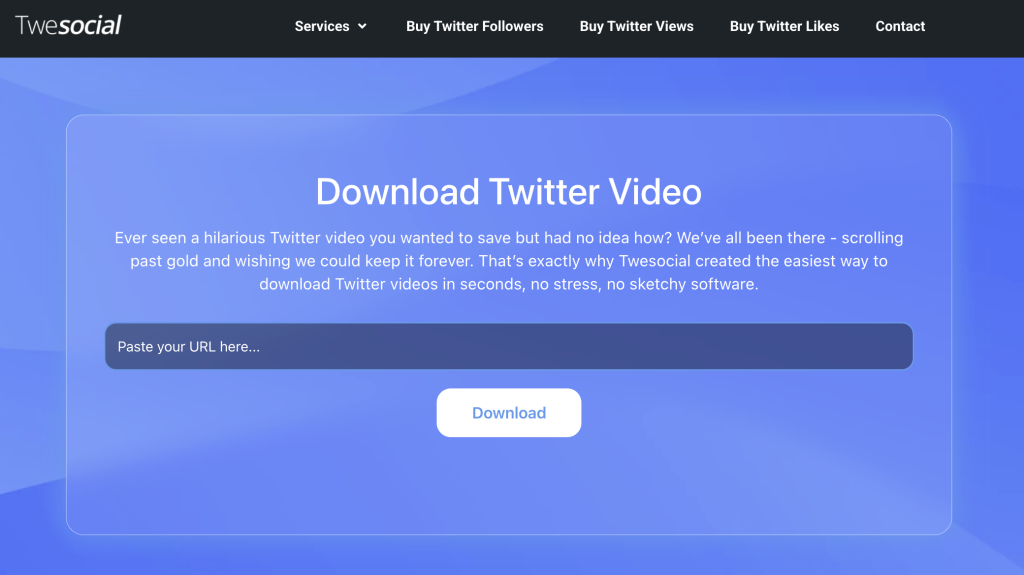
Twesocial is one of the most popular shortcuts for downloading Twitter videos in 2025. It’s very simple: you don’t even need an install. You can just put the link directly in the tool.
How it works:
- Visit the Twesocial downloader website
- Paste the Twitter video link
- Save to your device.
This is the fastest and safest way for iOS users. It also works on Desktop and Android Browsers, so it’s a win-win tool!
Option 2: TweetSave App
TweetSave is a dedicated Twitter downloader for iOS.
Steps to use:
- Copy the tweet link.
- Open TweetSave.
- Paste the link.
- Choose your preferred quality.
- Save the video directly to your camera roll.
TweetSave is simple, beginner-friendly, and ideal for saving video assets you want to repurpose or analyze later.
Can Twitter Blue Subscribers Download Any Video?
Twitter Blue, now part of X Premium, gives subscribers additional video features, but downloading any video is still limited.
X Premium allows:
- High-resolution video uploads
- Longer video playback
- Priority ranking
- Faster load times
However, it does not allow users to download any video on the platform unless the creator has enabled the download option.
If the download button isn’t available on a tweet, you’ll still need to use a third-party downloader.
Why Upgrade to X Premium?

Creators often upgrade because better upload quality increases engagement and monetization potential. Brands also benefit from the exposure boost. Still, for downloading, you will rely on external tools.
How to Use Browser Extensions for Quick Video Downloads
Browser extensions are great for users who download videos often and don’t want to copy and paste links every time.
Top Extensions
Extensions that work in 2025 include:
- Twitter Media Downloader
- Video Downloader Pro
- SaveTweetVid Extension
These tools place a download button directly under videos for one-click saving.
How it works:
- Install the extension in Chrome, Firefox, or Edge.
- Refresh Twitter.
- Look for a new download icon under videos.
- Click it to save instantly.
- Choose your resolution and storage location.
Extensions save time and support batch downloads, which helps creators building content libraries or research collections.
Best Practices for Downloading and Reusing Twitter Videos
Downloading Twitter videos can be extremely useful, but it comes with responsibilities.
Whether you’re a creator gathering inspiration, a marketer studying trends, or a business repurposing social content, you need to use downloaded videos wisely and ethically.
Following best practices not only keeps your account safe but also protects your reputation and strengthens professional relationships. Here are the most important guidelines to follow when saving and reusing videos from Twitter.
1. Respect Copyright
Many videos posted on Twitter are protected by copyright laws, even if they look like simple memes or short clips.
This means you cannot repost or reuse someone else’s video without permission. Twitter may delete your content or issue warnings if you repeatedly use copyrighted material improperly.
For creators and businesses, copyright issues can lead to loss of trust or brand damage.
Always make sure you have permission or fall under fair use before repurposing someone’s video.
2. Credit the Original Creator
Even when permission isn’t legally required, it’s still good practice to credit the original creator. This supports the community and builds positive relationships with people in your niche.
Creators often appreciate when others acknowledge their work, and giving credit may help you gain followers from the creator’s audience.
It also shows professionalism, which matters for brands and businesses trying to maintain strong public perception.
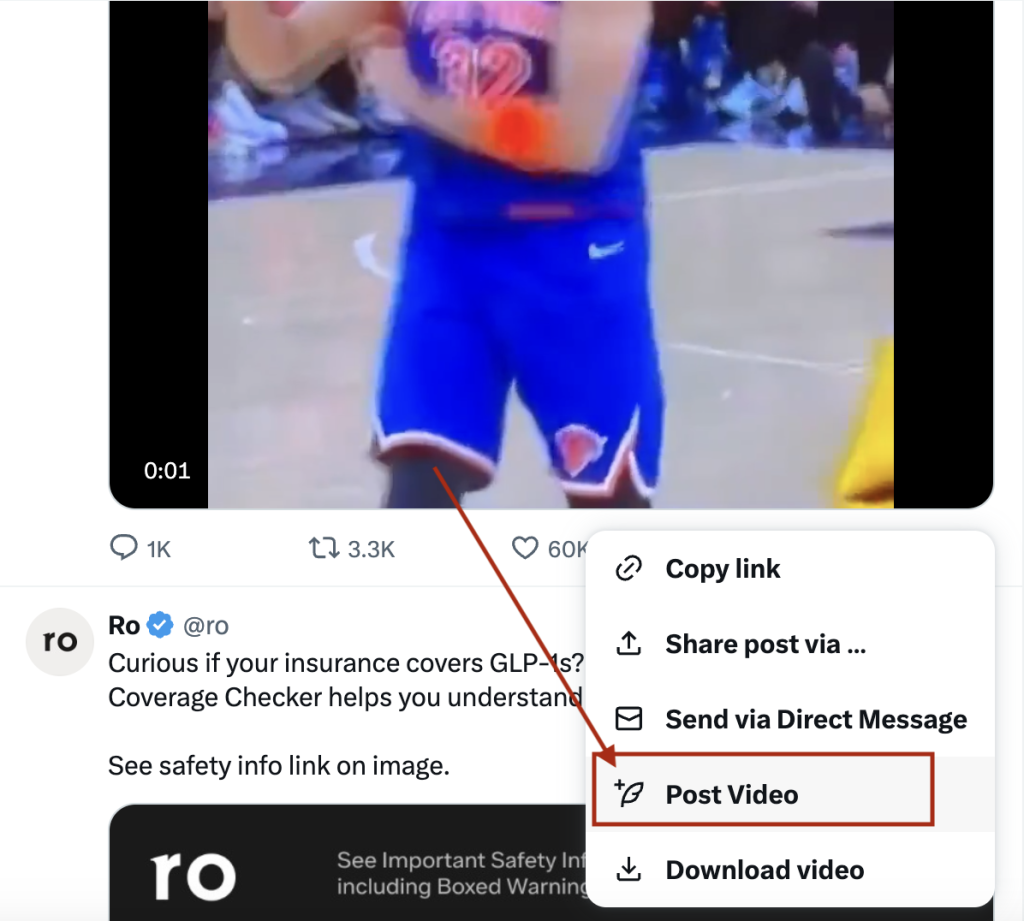
Instead of downloading, you could consider retweeting a video on Twitter, which would help to give credit and also include the rich media in your feed.
3. Avoid Spammy Download Sites
Not all video downloader sites are safe. Some are loaded with pop-ups, malware, or deceptive ads. These sites can infect devices or compromise your data.
Always use trusted, well-reviewed downloaders with secure connections. If you’re downloading videos frequently for business or creator work, consider using a dedicated app, browser extension, or iOS shortcut to minimize risk.
Or, use Twesocial’s Twitter downloader tool, which requires no installation.
Safe tools protect your device, your privacy, and your stored files.
4. Manage Storage Wisely
Video files, especially high-quality ones, can take up significant storage space, both on mobile devices and computers.
Creators who save dozens of videos for research or editing often run into storage issues fast. Make it a habit to organize your downloaded videos into labeled folders, such as “competitor examples,” “trending sound inspo,” or “client content.”
Regularly delete videos you no longer need. Good organization helps you locate files quickly and keeps your workflow efficient.
5. Use Downloads Strategically
The biggest mistake people make is downloading videos without a clear purpose. Instead, think of each download as a tool.
You might download videos to study editing styles, captions, transitions, and hooks that perform well. Businesses might save testimonial clips or customer mentions to understand brand sentiment.

Creators often download videos to analyze what makes a clip viral, how fast trends move, or how competitors engage their audiences.
When you download with intention, you turn saved clips into valuable data, not just clutter.
6. Don’t Repost Without Added Value
If you plan to reuse or repost downloaded videos, add your own insight or transformation. Twitter users respond poorly to accounts that simply reupload stolen content.
Instead, use downloaded videos to create commentary, reaction posts, comparisons, educational breakdowns, or remixes where appropriate.
This makes your Twitter content unique and avoids copyright trouble while still letting you participate in conversations built around popular videos.
7. Keep Brand Safety in Mind
For businesses, reusing Twitter videos can be risky if the original content doesn’t align with your brand values.
Before reposting anything, review the full context of the video, the creator’s reputation, and whether the content could be misinterpreted.
Brands should hold higher standards for content reuse, ensuring everything stays professional, ethical, and aligned with company messaging.
8. Check Video Licensing for Commercial Use
If you plan to use a Twitter video in advertising, YouTube content, or any commercial space, you must check licensing rights.
Many creators allow reposts but not commercial usage. When unsure, ask. Getting written permission protects you from legal issues later, especially if the video becomes widely circulated or monetized.
9. Protect User Privacy
Some Twitter videos feature private individuals, sensitive content, or personal data. Avoid downloading or sharing content that may invade someone’s privacy.
Ethical browsing helps maintain trust on the platform and protects you from potential violations.
10. Organize Your Content Library for Easy Access
As a creator or business, your downloaded videos can become part of your creative workflow. Build a simple folder system in Google Drive, Dropbox, or your local storage.
Organize by topic, trend, style, or campaign. This helps you quickly reference content, identify patterns, and generate new ideas.
Other Useful Twitter Tips You Should Know in 2025
1. How to Change Your Twitter Handle
Go to Settings > Your Account > Account Information > Edit Handle.
2. Understanding Twitter Trending Topics
Trends are algorithmically selected based on engagement and location. They’re useful for topic research and timely content ideas.
3. Using Twitter Advanced Search
Advanced Search helps you find old tweets, competitor content, or niche topics using filters like date, keywords, accounts, and engagement.
4. Leveraging Social Media Platforms Together
Cross-posting from Twitter to Instagram, TikTok, or LinkedIn helps maximize your reach and gives your content a longer lifespan.
5. The Best Time to Post on Twitter
Peak times change by niche, but many creators see strong results in the morning and early afternoon. Use analytics to find your audience’s active hours.
FAQs: How to Download Videos from Twitter
Can I download a video from Twitter?
Yes. You can use downloader websites, apps, browser extensions, or iPhone shortcuts.
Why can’t I download Twitter videos anymore?
Some videos are restricted by the creator or protected under Twitter’s content rules.
How do I save a video from Twitter to my camera roll?
Use a downloader app or iOS shortcut, then save the file directly to Photos.
How do I save a video from Twitter to my iPhone?
TVDL and TweetSave are the most reliable methods.
What’s the safest Twitter video downloader?
Reputable options include SaveTweetVid, DownloadTwitterVideo, and TVDL for iOS.
Can I download Twitter videos on iPad?
Yes. You can use the same shortcuts and apps used on iPhone.
Why can’t I download some videos even with X Premium?
Creators control whether their videos can be downloaded. If the setting is off, you must use third-party tools.
Can I download videos from Twitter DMs?
You cannot download DM videos directly, but you may screen record if appropriate and allowed.
What’s the difference between “save” and “download” on Twitter?
“Save” bookmarks the tweet inside the app. “Download” saves the actual video file to your device.
Are downloaded videos stored in my account?
No. They are stored on your device only.
Final Thoughts
Downloading videos from Twitter in 2025 is simple once you know which tools to use. Whether you’re on desktop, Android, or iPhone, there are reliable and safe methods for saving videos to your device.
Creators and businesses use these downloads for education, inspiration, strategy, and content planning. As long as you respect copyright and choose safe downloaders, you’ll be able to collect and use video content without issues.
With the steps and best practices in this guide, you now know exactly how to download videos from Twitter easily and safely.

